
project libraryactive project: launchpad
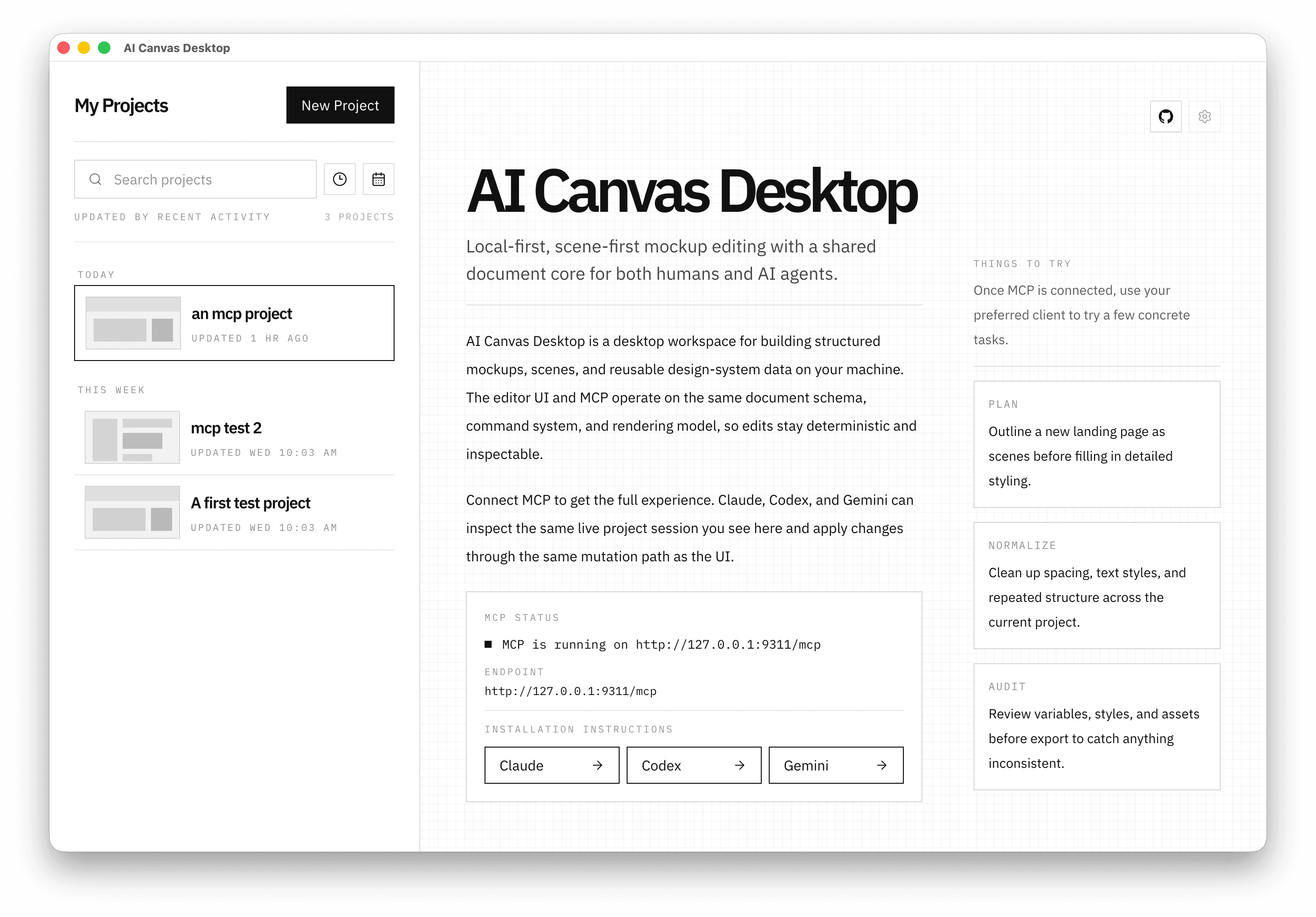
Strapping AI Canvas is the fastest way to go from a blank surface to a structured visual direction. Open the desktop app, point an MCP client at the same project, and rough in scenes, layout, and copy before polishing by hand.
Fast first pass, local runtime, explicit boundaries, one shared document core.
endpoint: http://localhost:9311/mcp

tool: inspect_project
tool: apply_commands

commands:
  - create_scene id=scene_launch
  - create_node id=rect_shell kind=rectangle
  - create_node id=text_headline kind=text
  - inspect_scenes

mode: read_write
Strapping AI Canvas is built for the messy first pass: not final polish, but getting a usable visual direction into view quickly. Speed comes from one local project model shared by the desktop UI and MCP clients.
Start with a structured first pass instead of a blank page. Rough in scenes, layout blocks, copy, and system primitives quickly, then refine from a visible direction.
The editor UI and the local MCP bridge use the same document schema, command system, and semantic logic. Agent edits do not disappear into a second automation layer.
Scenes, variables, styles, bindings, and provenance give the model something better than pixels alone, so bootstrap edits stay inspectable and usable.
The loop is short: open a local project, connect MCP, generate a structured first pass, and refine the same live result in the editor.
Create or open a local project in the desktop app and establish the workspace you want to push forward.
Connect Claude, Codex, or Gemini through the local MCP endpoint and generate first-pass structure, copy, and layout against the same active project session.
Use the canvas, layers, and inspector to tighten what the agent started without exporting, translating, or losing state across tools.
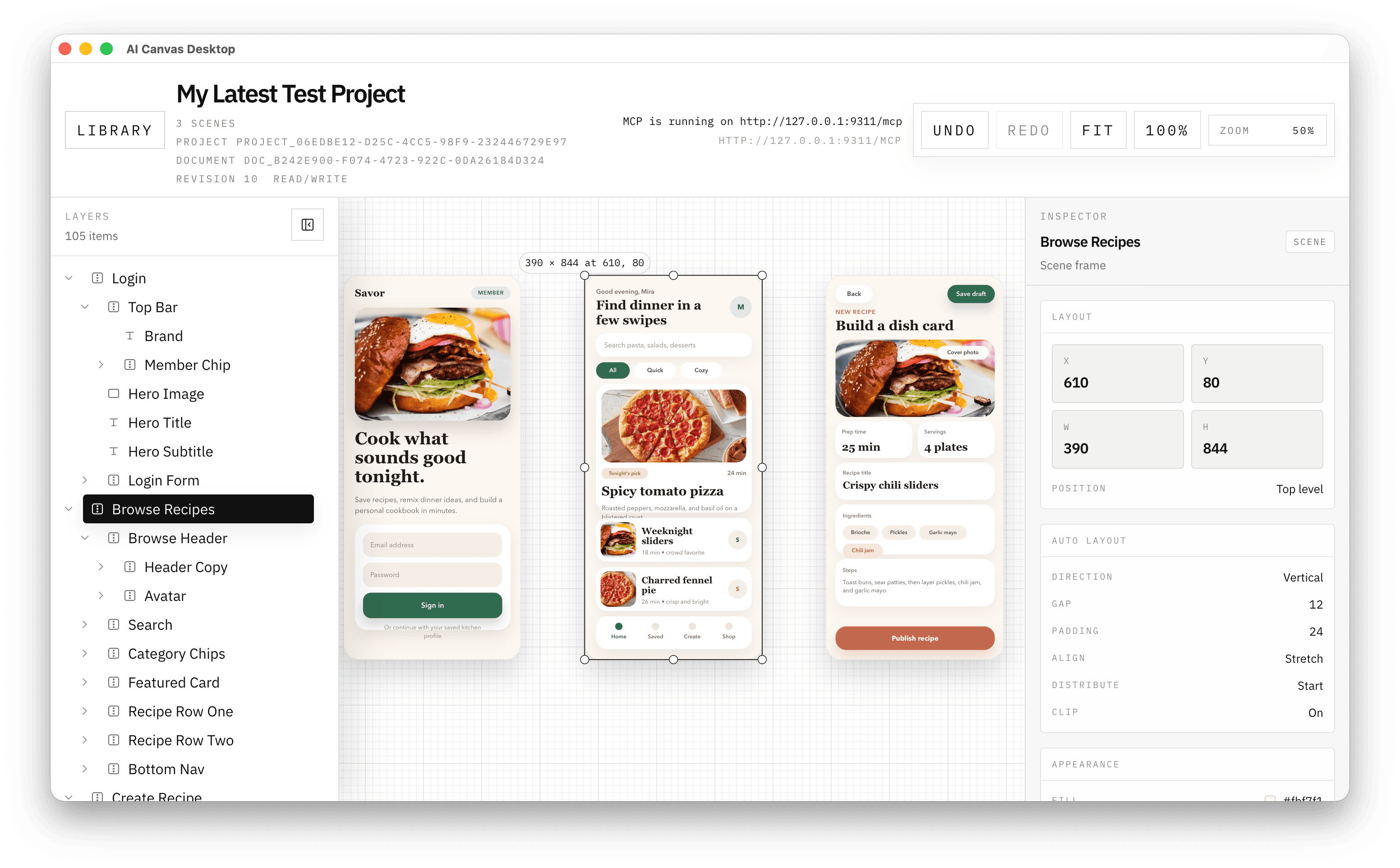
One workspace carries the whole loop: bootstrap the structure fast, inspect the result, and keep tightening in the same scene-first editor.
Strapping AI Canvas exposes a local MCP surface over the same command/query/document core the desktop editor uses. That is why the bootstrap pass stays fast, inspectable, and close to the real product state.
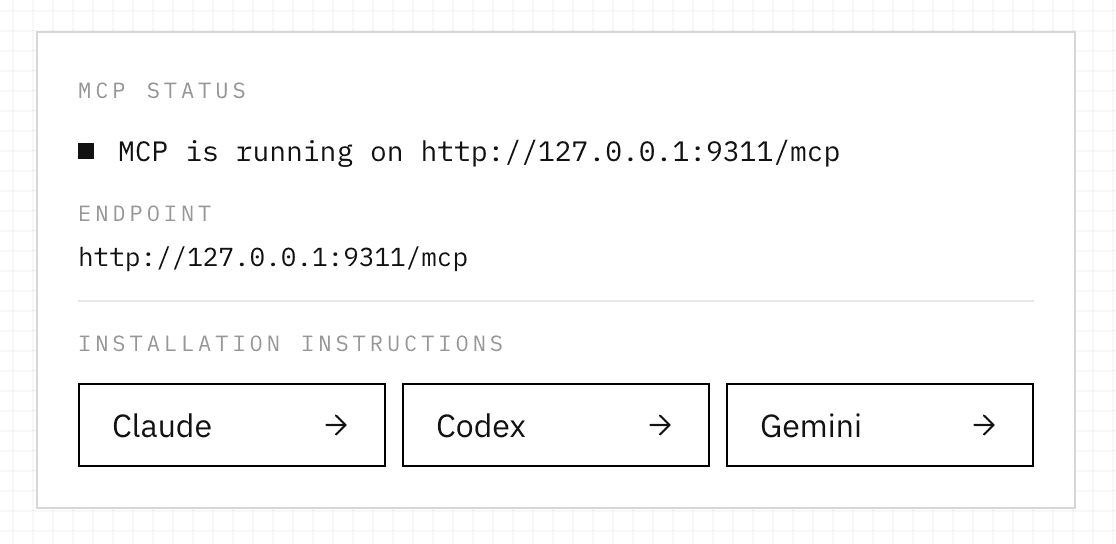
Use the full localhost endpoint, including the /mcp path, and keep the editor window open for write-capable actions.
Available while the editor window is open and the measurement surface exists.
Inspection remains available after close. Mutation fails fast with measurement_surface_unavailable.
Fast only works if the product boundary stays obvious. This is a local-first desktop tool with a visible runtime contract, and the marketing story should match that contract.
Projects, metadata, and assets stay local.
No mandatory backend or account setup.
Core editing workflows are offline-capable.
MCP is localhost-only and user-visible.
UI and MCP share one document model.
Write boundaries stay explicit and deterministic.
Scenes, variables, styles, bindings, and provenance are first-class project data. That gives both the editor and an agent a stable surface for inspection and mutation.
Strapping AI Canvas is still under active development, but the direction is clear: get from zero to usable visual design faster by keeping desktop editing and agent actions in one local workspace.
Short answers to the runtime and scope questions that matter when evaluating the product.
Strapping AI Canvas is built as a standalone Electron app so the editor, local persistence, and MCP runtime can share one local-first document model without a mandatory backend.
It means getting from a blank canvas to a credible visual direction quickly: scenes, layout blocks, headline copy, and reusable system primitives before detailed polish.
No. Core editing workflows are designed to work locally without a running server or cloud control plane.
Closing the editor window does not quit the app. The app stays resident in the tray, and MCP inspection remains available against the active project session.
Yes. Inspection remains available after the window closes until the user explicitly quits the tray app.
No. In v1, mutations fail fast with measurement_surface_unavailable when the editor window is closed because the browser-backed measurement surface is unavailable.
No. In v1, each project contains exactly one document. Project targeting is the primary MCP target surface.
Download the latest desktop build, inspect the docs, or review the source. The current release is experimental, but the value is immediate: faster first-pass visual design with a local editor and MCP in the same loop.